Setup
Make your project animation ready with Animata.
You don't need to install it as a dependency instead you can simply copy and paste the code, as shadcn/ui, into your project. However, you still need to install the other dependency that the code needs.
Requirements
-
TailwindCSS: We use TailwindCSS for styling. See the TailwindCSS documentation for more information.
-
Motion (Optionally required): Some complex animations require the
motionpackage. See the Motion documentation for more information. -
Lucide Icons or Radix Icon (Optional): Some components use Lucide Icons or Radix Icons. You can use any other icon library or SVG icons as well.
Setting up
Folder structure
This is optional but recommended. You can paste the components where ever you want however make sure to update the paths in the code if you are not using the same structure.
The project assumes that you have the following structure:
/
  /components
/uiwhere / is the root of your project, /components is where you keep your components and the project has been set up using paths in the tsconfig.json file.
{
  "compilerOptions": {
    "baseUrl": ".",
    "paths": {
      "@/*": ["./*"]
    }
  }
}The root of your project can be anything (like src or app), but the components folder should be at the root level.
Install basic dependencies
Install the required dependencies, if you haven't already:
npm install tailwind-merge clsx lucide-reactTailwind v4 includes animation utilities natively, so the tailwindcss-animate plugin is no longer needed.
Create utils.ts file
Create utils.ts file in the libs folder and paste the following code:
import { type ClassValue, clsx } from "clsx";
import { twMerge } from "tailwind-merge";

export function cn(...inputs: ClassValue[]) {
  return twMerge(clsx(inputs));
}Copying the code
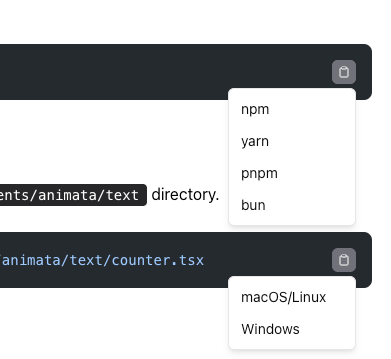
- If you are copying the dependency installation or file creation command make sure to use the copy button as it provides multiple options to copy the code.
-
If you see something that has been imported but not mentioned in the documentation, then it is a dependency that you need to install. If it starts with
@/then it is Animata's component else it is an external dependency. In such case, you can submit a PR to update the documentation. -
If something is not working, then the docs may be missing CSS configuration (custom
@keyframesor@themevalues). You can look for the relevant CSS entries in Animata's source code. You can create an issue or submit a PR to update the documentation.